Shared Drive Roles

June 23, 2026

By 

Lori McNeil

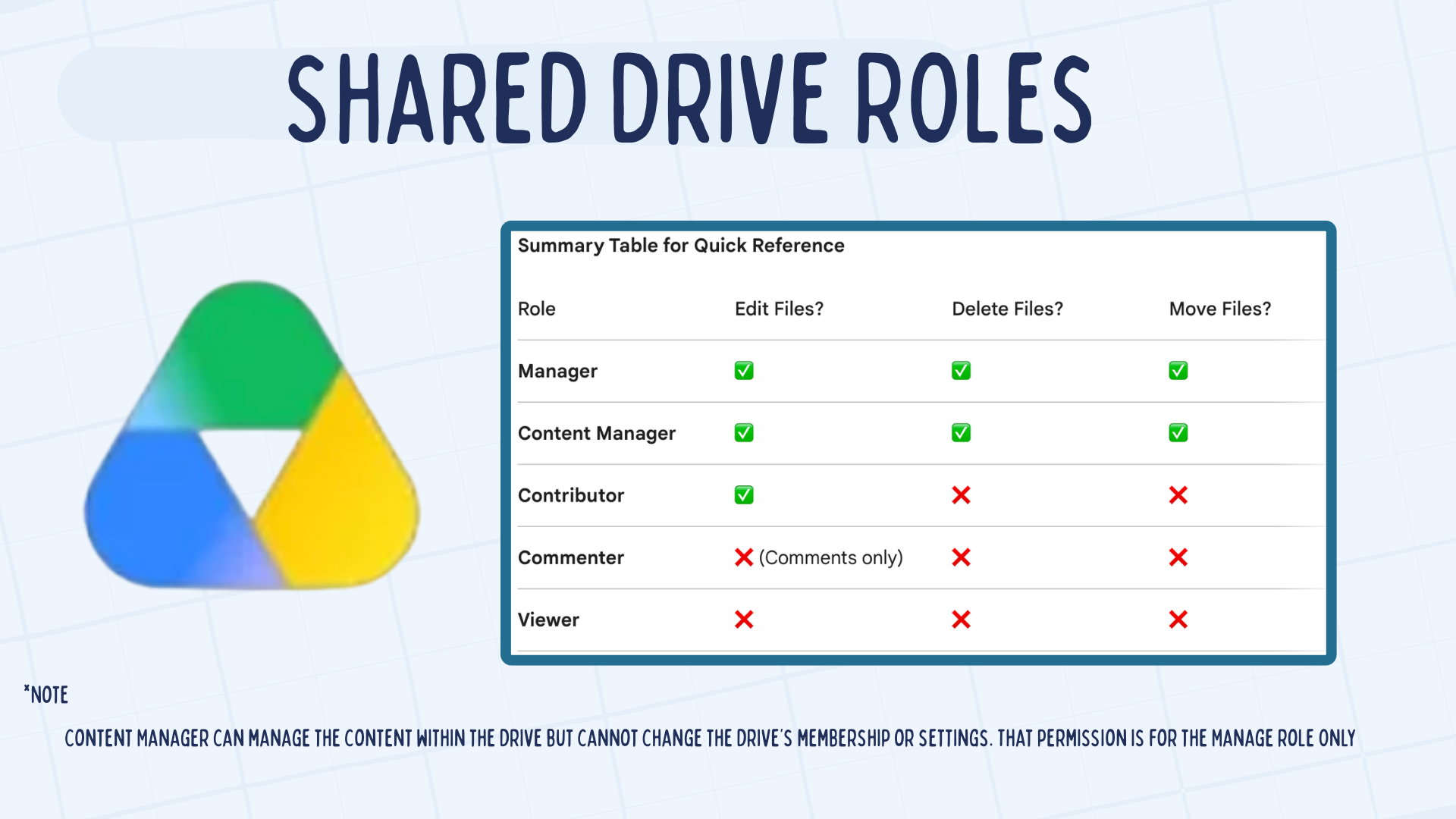
A Google Shared Drive is a digital workspace where files belong to a group rather than one individual. When you create or add a document to this space, the school becomes the owner of that file. This means that if an employee or student leaves the school, their files stay in the drive so the rest of the team can keep using them. Everyone who belongs to the drive can see the exact same folders and files. Leaders can also assign specific roles to decide what each person is allowed to do, choosing from Manager, Content Manager, Contributor, Commenter, or Viewer. It is a way for a school to keep all of its work together in one permanent place.

  •  Ownership: The school or team owns the files. If a member's account is deleted, the work they contributed remains accessible in the Shared Drive.
  • When you add a member to a Shared Drive, they automatically gain access to every file and folder inside it.
  • Role-Based Permissions: You can assign specific levels of control, such as Viewer, Commenter, Contributor (add/edit files), Content Manager (move/delete files), or Manager (manage people)
  • Consistency: Every member sees the exact same folder structure, making it much easier to organize department resources or class projects.

Submit Ticket Request

Have a request or need some support? 
Submit a ticket request to our team and we'll get back to you ASAP.

Thank you! Your ticket request has been received!
Oops! Something went wrong while submitting the form.
Submit Ticket