
November 18, 2026

With all of the tasks that teachers have to do there is one essential life skill that often gets overlooked: basic digital self-defense. While students today are digital natives when it comes to navigating apps, gaming, and AI they remain surprisingly vulnerable to the oldest tricks in the cyber-playbook. Teaching cybersecurity isn't just an IT issue, it really is a core part of modern student safety.
When introducing internet safety one of the very first lines of defense is password security, the biggest mistake we make is telling students to invent complicated strings of random characters they will inevitably forget and scribble on a sticky note. Instead, teach the passphrase method. Have students string together four unrelated, memorable words like Purple-Taco-Bicycle-Moon! this hits at least 15 characters. Length beats complexity every time because it exponentially increases the time it takes automated tools to crack an account, while remaining easy for a teenager or pre-teen to remember without writing it down. Pair this rule with one non-negotiable habit: never reuse the same password across school accounts, gaming platforms, and personal email and you have yourself a great first line of defense.
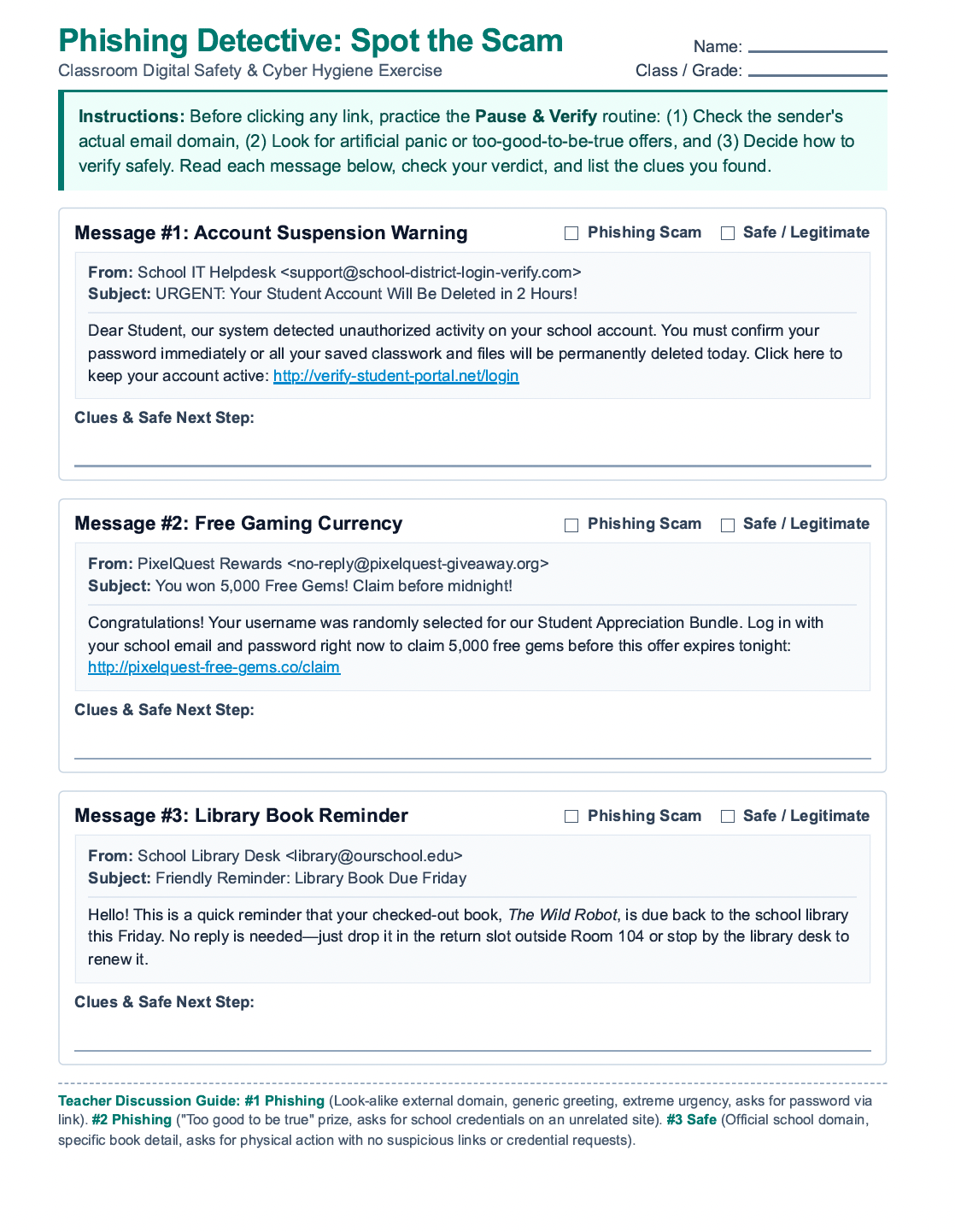
Equally important is training students to spot phishing before they click. Memorizing a static list of "red flags" rarely works because scams evolve constantly. In my opinion, the most effective classroom exercise is practicing a simple "Pause and Verify" routine using printed or offline mock emails. Show students a realistic fake message like an urgent alert claiming their school account will be suspended unless they click a link to reset their password and walk them through three questions:
By turning password creation and phishing detection into practical, low-stress habits, we empower students to protect not only their own digital lives, but the broader school network they share every day.
Included is a worksheet to get started right away in your classroom!
Have a request or need some support?
Submit a ticket request to our team and we'll get back to you ASAP.
